


Musical Toy Piano and Songs
3.63.00 Reviews
App Specs
- Version
- 16.0
- Updated On
- License
- Free
- Downloads
- 1,000,000+
- Developer
- NutGenix Games
- Categories
- Music
- Platform
- Android
Screenshots
 Analysis by AppCompare
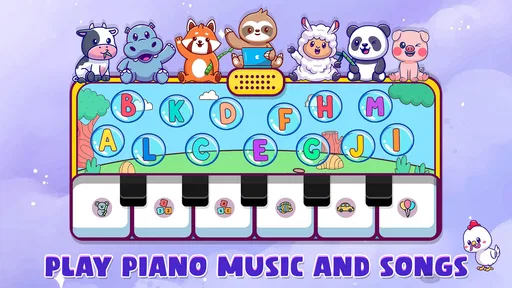
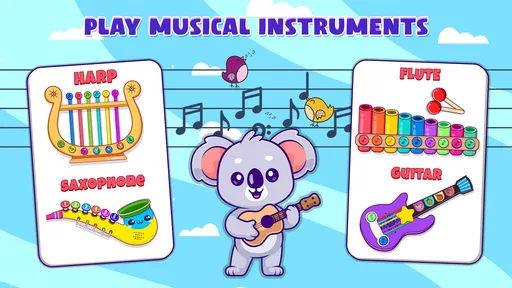
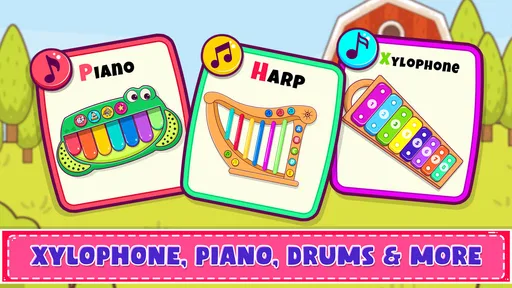
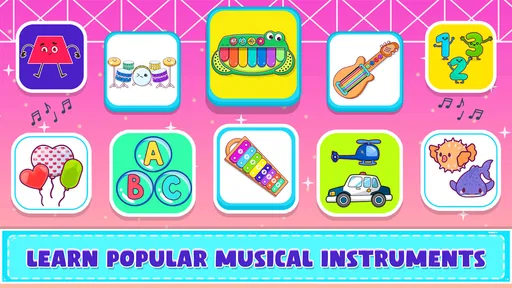
I approached Musical Toy Piano and Songs as a small, casual music game rather than a replacement for a real keyboard lesson. That distinction matters. The app is built around playful instruments, including a piano, drums, xylophone, and toy phone, so its appeal is immediate: tap, listen, experiment, and let a child or beginner discover how different controls feel. I found the experience easiest to appreciate in short sessions, especially when the goal is curiosity instead of formal practice.
Developed by NutGenix Games, this free music game is aimed at everyone and runs on Android devices using version 8.0 or later. It has passed the million-install mark, which gives it a familiar place among simple family-friendly music apps, although its average rating sits at 3.6 from around 800 ratings. I would read that combination as a sign of broad interest with some uneven expectations. People looking for a toy-like soundboard may enjoy it more than users expecting a complete piano-learning course.
Getting past the first points of friction
The first place I would expect users to get stuck is not the musical content itself, but the basic interaction: choosing an instrument, understanding what each area responds to, and working out whether a tap has registered. With a simple app like this, the screen can look self-explanatory while still requiring a few moments of adjustment. Young children may tap quickly or with several fingers, while adults may initially look for lesson menus or song instructions that are not central to the experience.
My advice is to begin with one instrument and use slow, deliberate taps. The piano is the most natural starting point because its layout gives an immediate sense of cause and effect. After that, the xylophone offers a different visual and rhythmic feel, while the drums are better for exploring timing than pitch. The toy phone is best treated as a playful change of mood rather than another serious practice tool.
The most useful early habit is to test the app in a quiet, unhurried minute before handing it to a child. That lets you check how touches register, confirm that the sound is audible, and decide whether the current device is comfortable for small hands. It also prevents a common misunderstanding: a collection of virtual instruments can encourage musical play without teaching notation, technique, or a structured curriculum.
Parents should also consider the physical size of the phone or tablet. On a compact screen, piano keys and other touch targets may feel crowded when several fingers are used together. A larger display can make the app more comfortable for shared play, but it does not turn the experience into a full digital keyboard. I would keep expectations realistic and use it as an accessible first contact with sound.
Simple checks before blaming the game
If the app opens but seems silent, I would start with the device’s media volume rather than repeatedly tapping the screen. A phone can be audible for calls or notifications while media playback is muted. I would also check whether headphones, a Bluetooth speaker, or another audio route is still connected. These are ordinary device issues, but they are especially confusing in a music app because the visual response may appear normal even when sound is being sent somewhere else.
Worth Reading Before You Choose

EA SPORTS FC Mobile 26 Is a Bigger Football Game, but It Takes Time

Flipboard Shows What News Apps Must Do Beyond the Feed

Switching to Android Auto Means Rethinking Your Driving Routine

Google Calendar Makes a Crowded Week Easier to Manage

Ludo King Makes the Most of the Minutes Between Plans

Baby Panda World Brings Quick Play to Modern Phones, but Its Game Library Feels Busy
When a tap appears not to work, I would clean and dry the screen, remove anything obstructing touch input, and try a single-finger press in a different area. A child’s rapid multi-touch pattern can make it difficult to tell whether the problem is the app or the device’s touch handling. Testing the piano and then the xylophone is a practical comparison: if neither responds consistently, the screen or operating system deserves attention before the game does.
It is also worth closing other demanding apps before a shared music session. I would not promise that this solves every problem, but reducing background activity is a sensible general check when audio feels delayed or the device is struggling. Restarting the app after changing volume or audio connections can help it begin again with the current device state.
Because the game is free, I would not approach setup expecting a paid lesson platform with account-based progress or a carefully guided onboarding sequence. The advantage is that there is little commitment: install it, try the instruments, and decide quickly whether the interaction suits your family. The trade-off is that the user has to supply the structure.
A better way to use each instrument
I got more value from the app when I gave each instrument a separate purpose. I used the piano for alternating fingers, the xylophone for listening to ascending and descending sounds, and the drums for copying short rhythms. The toy phone worked as a lighter activity between those exercises. This approach turns a loose collection of sounds into a small routine without pretending that the app contains a formal lesson plan.
For a young child, I would keep the first session brief and ask questions such as “Which sound is higher?” or “Can you repeat that rhythm?” Those prompts make the child listen instead of only tapping as quickly as possible. With an older beginner, I would use the piano to practice steady timing, but I would move to a dedicated learning app or a real instrument once they want notation, chords, finger technique, or measurable progress.
A useful non-obvious trade-off is that the app’s simplicity can be both its strength and its weakness. There is less to configure, so a child can begin experimenting almost immediately. At the same time, there may be little to keep a motivated learner engaged after the novelty of switching instruments fades. I see it as a starting surface for musical play, not a long-term practice system.
Another practical tip is to use it as a listening game rather than a performance test. Ask the child to close their eyes while you play a few sounds, then identify whether the sound came from the piano, drums, or xylophone. This makes the different instrument choices meaningful and does not require advanced knowledge. It is also a better fit for the app than demanding accurate reproduction of a real song.
Recovering a session when interaction goes wrong
When a session becomes confusing, I would reset the routine instead of trying random taps. Leave the current instrument, reopen it, and test one control at a time. If the audio route changed, return to the device’s normal speaker or reconnect the intended headphones before continuing. If the screen feels unresponsive, pause the activity and test ordinary touch input elsewhere on the device.
For family use, it helps to establish a small order: choose an instrument, make three sounds, copy one rhythm, and then switch. That workflow reduces the chance that a child will jump between every option without hearing the differences. It also gives the adult a clear point to stop if the device becomes warm, the sound starts lagging, or attention has moved on.
I would avoid treating repeated tapping as a troubleshooting method. It can make a delayed response look like a broken control and can overwhelm a small screen. Slow testing is more informative. One tap on the piano, one strike on the xylophone, and one drum hit tell you much more than a burst of random input.
If the app behaves normally after a fresh launch but becomes difficult after a long session, I would close it and try again later rather than assuming the instruments are permanently faulty. If the same issue appears across other audio apps or touch-based games, the device is the more likely place to investigate. This distinction saves time and prevents an otherwise suitable toy from being dismissed too quickly.
When the device, room, or expectation is the real issue
Not every disappointing session points to a software problem. A noisy room can hide the difference between instruments, while a low speaker volume can make the game feel unresponsive. Headphones may improve clarity, but with young children I would keep the volume comfortable and supervise their use. A crowded screen, a cracked protector, or wet fingers can also create inconsistent touch behavior.
There is an expectation issue too. The store summary presents the app as a way to explore piano, drums, xylophone, and a toy phone while developing musical skills. I think that is fair when “skills” means basic listening, rhythm awareness, and hand-to-sound experimentation. I would not interpret it as a promise of graded lessons, song mastery, or professional keyboard control. Someone specifically searching for guided songs, staff notation, recording tools, or a large library of exercises should compare it with a dedicated piano-learning service instead.
The age rating of Everyone makes the app easy to consider for shared family use, but an age label does not determine whether every child will find the interface engaging. Very young users may need an adult to explain the choices, while older children may outgrow the toy presentation quickly. It is most convincing for beginners who enjoy immediate feedback and do not need a formal reward system.
Compared with a real toy keyboard, this game is easier to carry and costs nothing to try. Compared with a physical instrument, it lacks the tactile resistance and spatial learning that come from pressing actual keys. Compared with a structured music course, it is less demanding and less educationally organized. Its position is therefore quite specific: it is a low-commitment digital music toy that can introduce sound and rhythm, but it should not be mistaken for a complete learning path.
Who will enjoy it, and who should skip it
I would recommend Musical Toy Piano and Songs to parents seeking a quick, family-friendly activity, to preschool or early-primary children who like tapping and imitation, and to adults who want a harmless way to explore basic musical sounds. It is also useful as a short warm-up before a child moves to a recorder, keyboard, or rhythm exercise, because it lowers the barrier to simply making a first sound.
I would skip it if your main goal is serious piano improvement. A learner who wants posture guidance, finger numbering, chord practice, sight-reading, saved compositions, or a clear progression will probably become frustrated. I would also look elsewhere if you want a sophisticated rhythm game with challenging stages. The appeal here is open-ended play with familiar instrument ideas, not deep competition.
Version 16.0 is the current release, and the game was released on October 25, 2023. Those details make the Android requirement straightforward for many older devices, since Android 8.0 is the minimum system version. Still, compatibility alone does not guarantee a perfect experience on every phone. Screen dimensions, speaker quality, touch condition, and audio connections will shape how pleasant the app feels in practice.
The rating of 3.6, based on around 800 ratings and a small number of written reviews, also suggests that I would test it personally before building a larger activity around it. That is easy to do because the price is free. I would install it, check the sound and touch response, and play through each instrument before deciding whether it deserves a place in a child’s regular rotation.
My practical verdict after using it
Musical Toy Piano and Songs works best when I treat it as a digital toy with a musical purpose. Its strongest quality is accessibility: there is no need to understand music theory before making a sound, and the range from piano to drums, xylophone, and toy phone gives a child several ways to explore. The free price makes that experiment low risk, while the Everyone rating supports its role as a shared, casual activity.
Its main limitation is the same simplicity that makes it approachable. Without a structured practice path, the adult has to create the learning goal. Without the feel of physical keys, it cannot replace a keyboard. Without the depth of a dedicated course, it is unlikely to satisfy a learner who wants visible progress over weeks or months.
My recommendation is to use it in small, purposeful bursts: check the device volume first, begin with one instrument, compare sounds, copy a rhythm, and stop before random tapping takes over. If the audio or touch response seems wrong, test the device and connections before blaming the game. For playful first steps into music, this is a reasonable free download; for serious instruction, I would choose a specialized alternative.
Pros
- Simple piano layout is easy for young children to understand.
- Bright visuals and playful sounds help keep kids engaged.
- Includes songs that encourage rhythm and musical exploration.
- Works well for short
- casual play sessions.
- Touch controls respond quickly to taps and swipes.
Cons
- Limited musical depth may not satisfy older children or beginners.
- Repeated sounds and songs can become monotonous over time.
- Some features may require in-app purchases or display ads.
- Small screens can make certain piano keys difficult to tap.
- Sound quality depends heavily on the device’s speaker.
FAQs for Musical Toy Piano and Songs
What is Musical Toy Piano and Songs?
Musical Toy Piano and Songs is an interactive music app designed mainly for children who want to explore sounds, melodies, and simple songs in a colorful digital environment. It typically combines a virtual piano keyboard with playful musical activities, allowing kids to tap notes, experiment with different sounds, and follow familiar tunes. The interface is intended to be easy to understand, even for young users with little or no musical experience.
Is Musical Toy Piano and Songs suitable for young children?
The app is generally suitable for young children because its controls are simple, visual, and based mostly on tapping large on-screen elements. It can help introduce basic concepts such as rhythm, pitch, melody, and cause-and-effect through playful interaction. However, parents should review the available content and settings before handing over the device, especially if the app includes advertisements, external links, in-app purchases, or features that require an internet connection.
Does the app require musical knowledge or previous piano experience?
No previous musical knowledge is normally required to use Musical Toy Piano and Songs. Children can begin by tapping the virtual keys freely, listening to the sounds, and discovering how different notes work together. Song-based activities may provide additional guidance for users who prefer structured play. While the app is not a replacement for formal piano lessons, it can be a friendly first step toward developing musical curiosity and recognizing simple melodies.
Can Musical Toy Piano and Songs be used without an internet connection?
Some parts of Musical Toy Piano and Songs may work offline after the application has been installed, particularly the basic piano keyboard and any songs or sounds stored directly on the device. Nevertheless, availability can depend on the version, device, and how the developer has implemented advertisements or additional content. It is recommended to test the app in airplane mode before relying on it during travel or in places without stable internet access.
Is Musical Toy Piano and Songs free to download and safe for children?
The application may be available as a free download, but the exact conditions can vary between Android and iOS versions. Free apps can sometimes contain advertising, optional purchases, or links to other products. Parents should check the official store listing, privacy information, age rating, and requested permissions before installation. For safer use, enable parental controls, avoid storing payment details on an unrestricted device, and supervise younger children while they play.


